
Finding journals
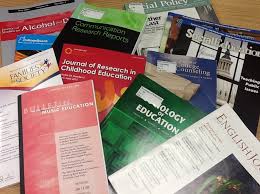 Academic journals are a key information resource for supporting your studies at university.
Unlike books, they are published several times a year and include academic articles that explore specific areas of a particular subject.
They complement academic books & textbooks by providing more current information that explores specific subject/topic areas as mentioned above. In fact, if you look at the back of a textbook, you will notice a reference section that may include several journal articles (as well as books) that relate to the subject/topic of the book.
DO NOT PART WITH YOUR MONEY!!!
This is because the Library subscribes to a multitude of journals across all of the subjects that are taught and researched at the University.
Check out the methods below for finding out whether we have the journal that you’re looking for.
How do you find journals related to your SUBJECT AREA?
There are three tools that you can use to find related journals:
• LibrarySearch
• Browzine
• EBSCO Publication Finder
LibrarySearch
Go to LibrarySearch and enter the subject or topic you are interested in.
You should now see, at the top of the LibrarySearch page, the results of an E-journal search, which offers links to suggested journals via Browzine.
 Browzine
Browzine is a service that the university library subscribes to, which allows you to search or browse for academic journals in your subject/topic area.
It is a tool that allows you to browse, read, and follow scholarly journal content on your mobile device, laptop, or desktop PC. It works by bringing together articles from our subscribed journals and Open Access material into a single place.
To try out Browzine:
- Go to https://librarysearch.kent.ac.uk/
- On the right-hand side of the screen, select Browse e-journals by subject
- Either browse the subject listing for your subject/topic area, e.g. YOUR SUBJECT, and click on the link
- You may find that some subject links lead to further sub-links, e.g., Social Science and Behavioural Science further divides into Anthropology, Communication and Journalism, Criminology and Criminal Justice, etc.
- Select the Subject/Sub listed subject that you require and click on the link
- You should now see a list of all journals related to the subject area.
- Your subject may again be broken down into sub-categories. Select the sub-category that is most appropriate for you. Political Science à Politics and Society
- You should now see a listing of all journals relating to the specific sub-category.
- Click on one of the titles to access.
You should now be able to access articles from this journal that span many years.

EBSCO Publication Finder is an alternative tool for finding journal titles that the Templeman Library has access to.